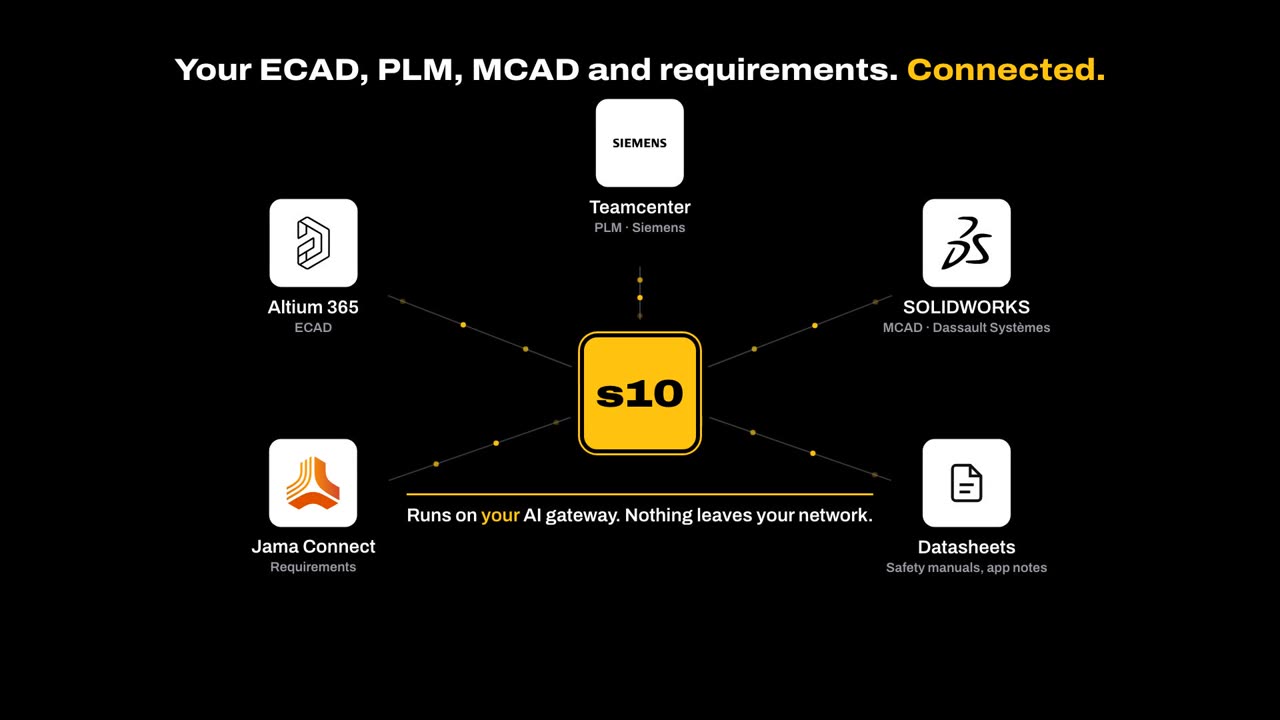
01 · Connect
Reads the design where it lives.
Schematic, BOM and layout from your ECAD and PLM, safety goals from your requirements tool, datasheets and safety manuals from your library. No re-keying and no stale copies.
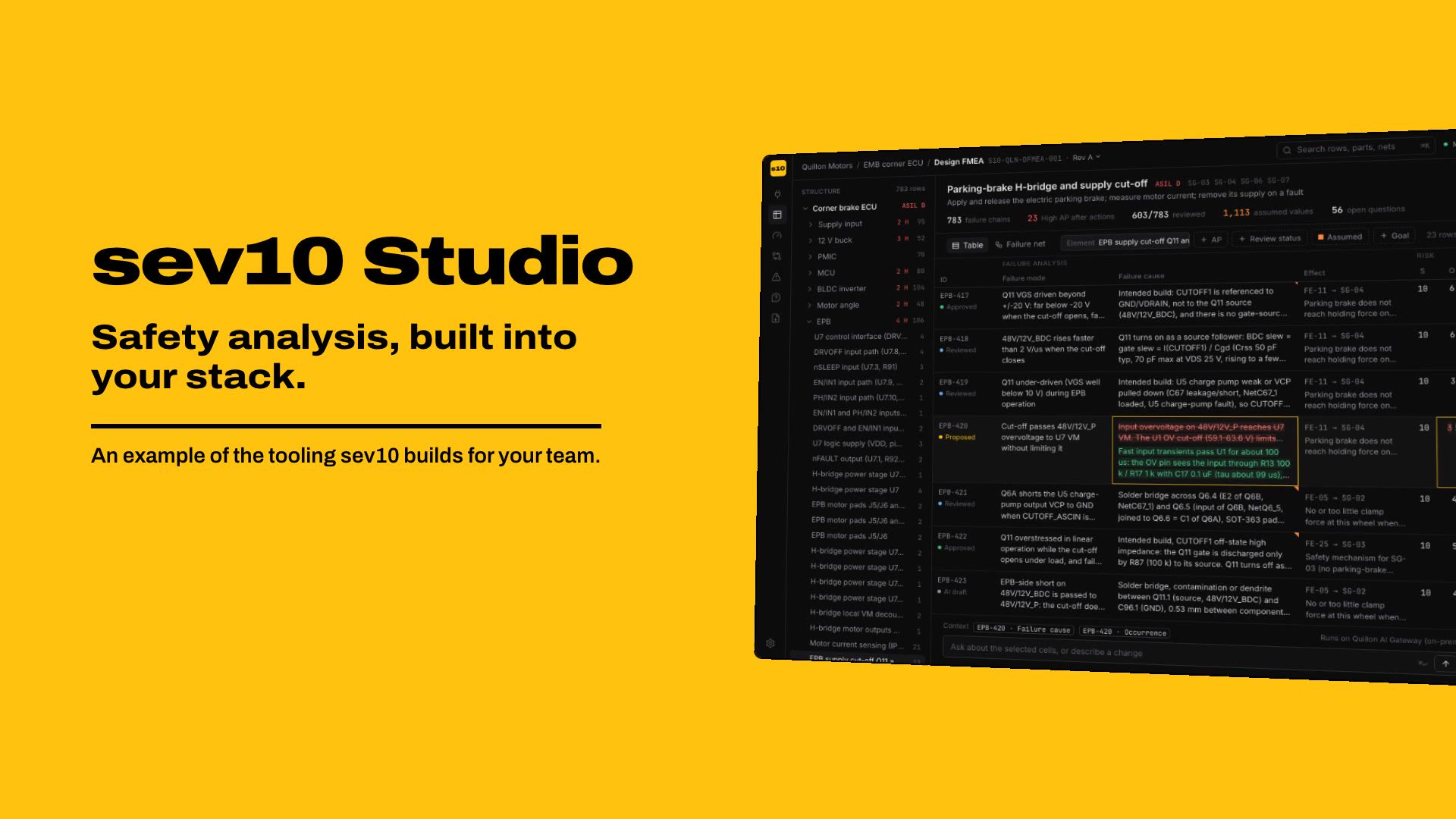
Software, built for your team
sev10 builds the AI engine behind our analysis service into your company. It connects to your ECAD, PLM and requirements tools, runs on your own AI gateway and speaks your templates. The AI drafts and checks. Your engineers decide.
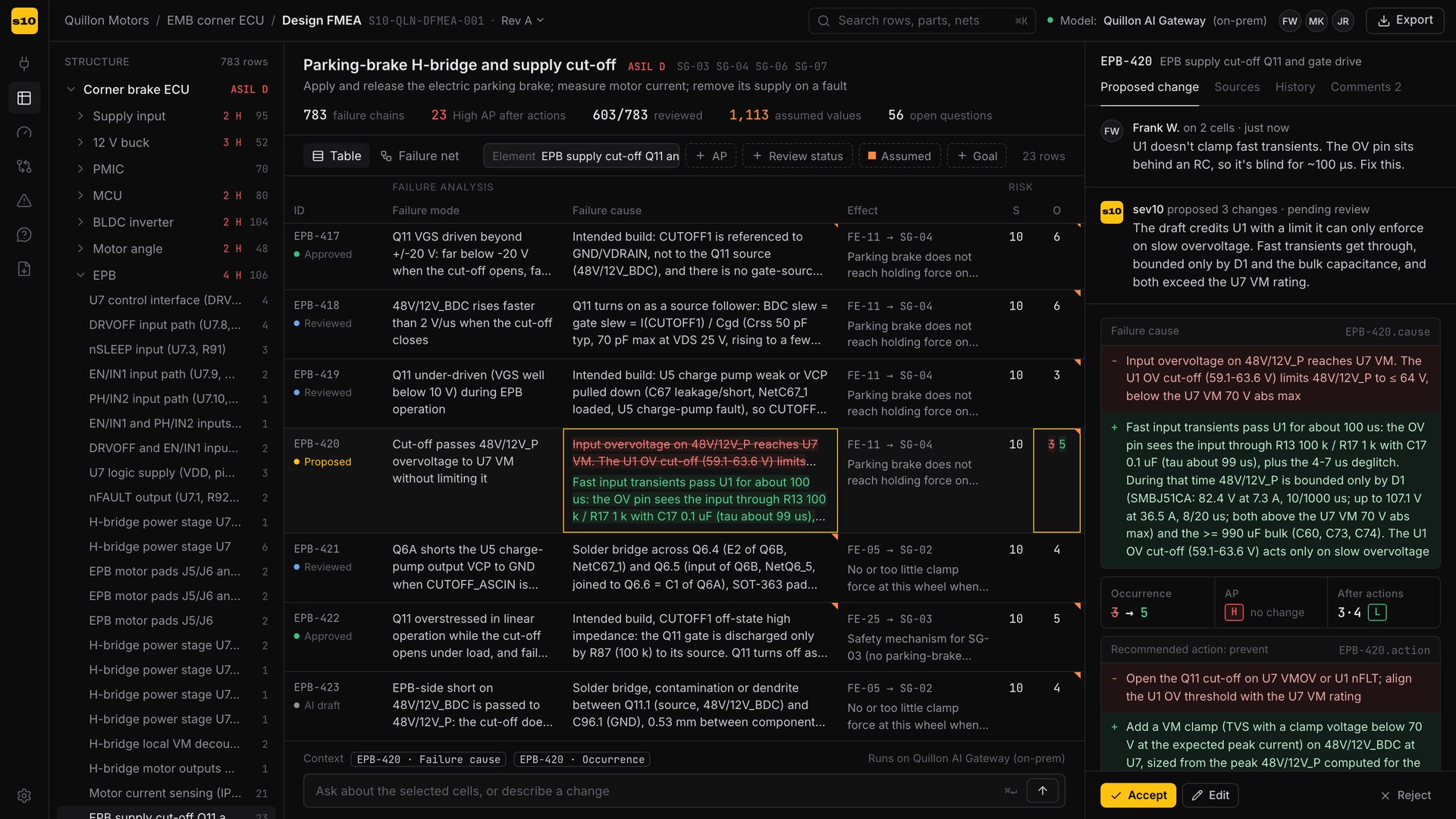
A working prototype on our brake-by-wire case study: the same engine that drafted that 783-chain package in about 10 engineer-hours, and the same findings our reviewers raised on it. Sound on.
An example of what we build, not an off-the-shelf product. Each build is scoped to your tools, templates and process. Quillon Motors is a fictional client.
Measured on the example engagement
Two editors, a connection to every system that feeds them, and exports in the formats your process already uses. Shown here on the example build.
01 · Connect
Schematic, BOM and layout from your ECAD and PLM, safety goals from your requirements tool, datasheets and safety manuals from your library. No re-keying and no stale copies.
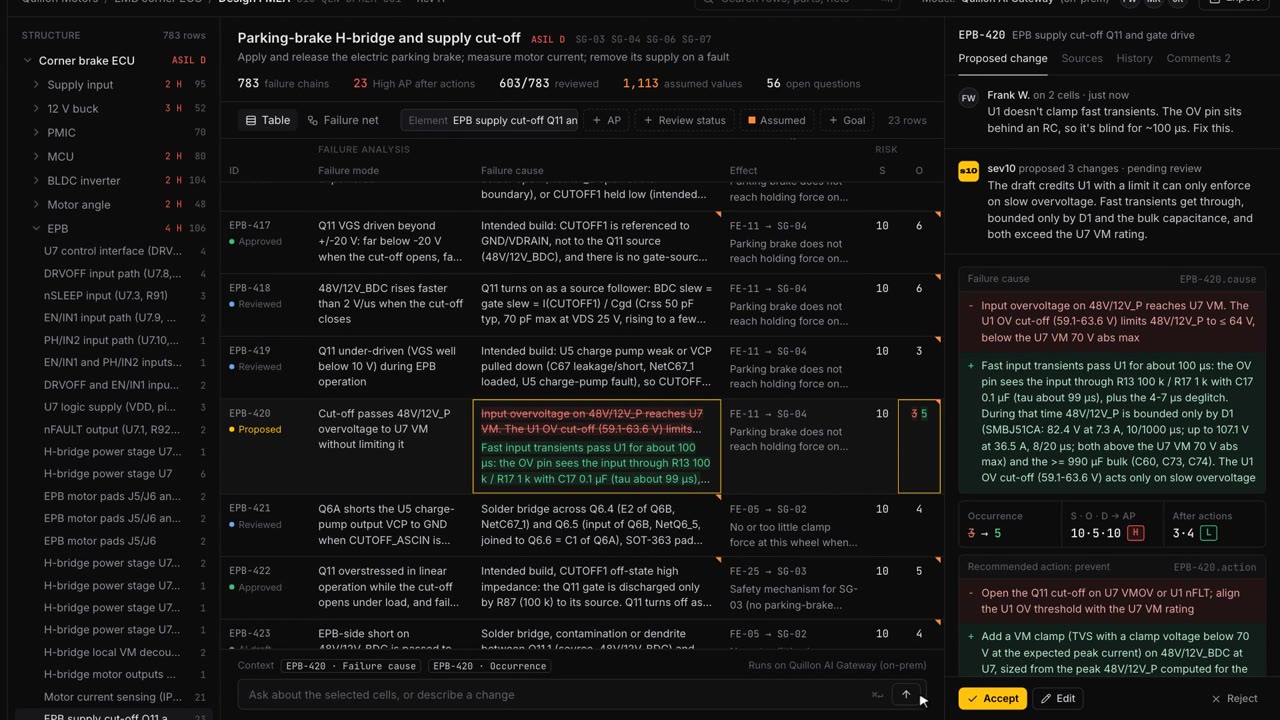
02 · DFMEA editor
Select the cells and write what you disagree with, the way you would to a colleague. The AI answers with a tracked change, its reasoning and the datasheet pages behind it. You accept, edit or reject it; action priority recomputes as you do.
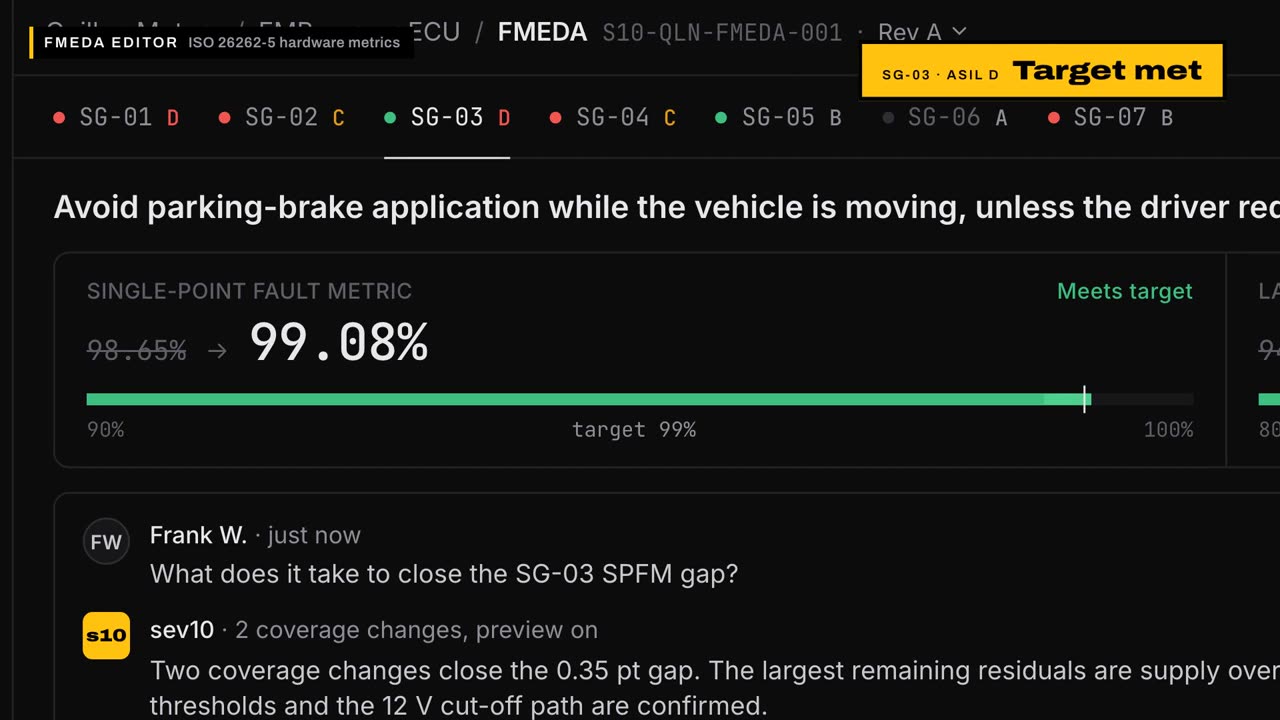
03 · FMEDA editor
SPFM, LFM and PMHF for every safety goal, live. Ask what closes a gap and preview the answer on the metrics before anything changes. Every diagnostic-coverage claim links to its implementation evidence, with the ISO 26262-5 Annex D category as the reference point.
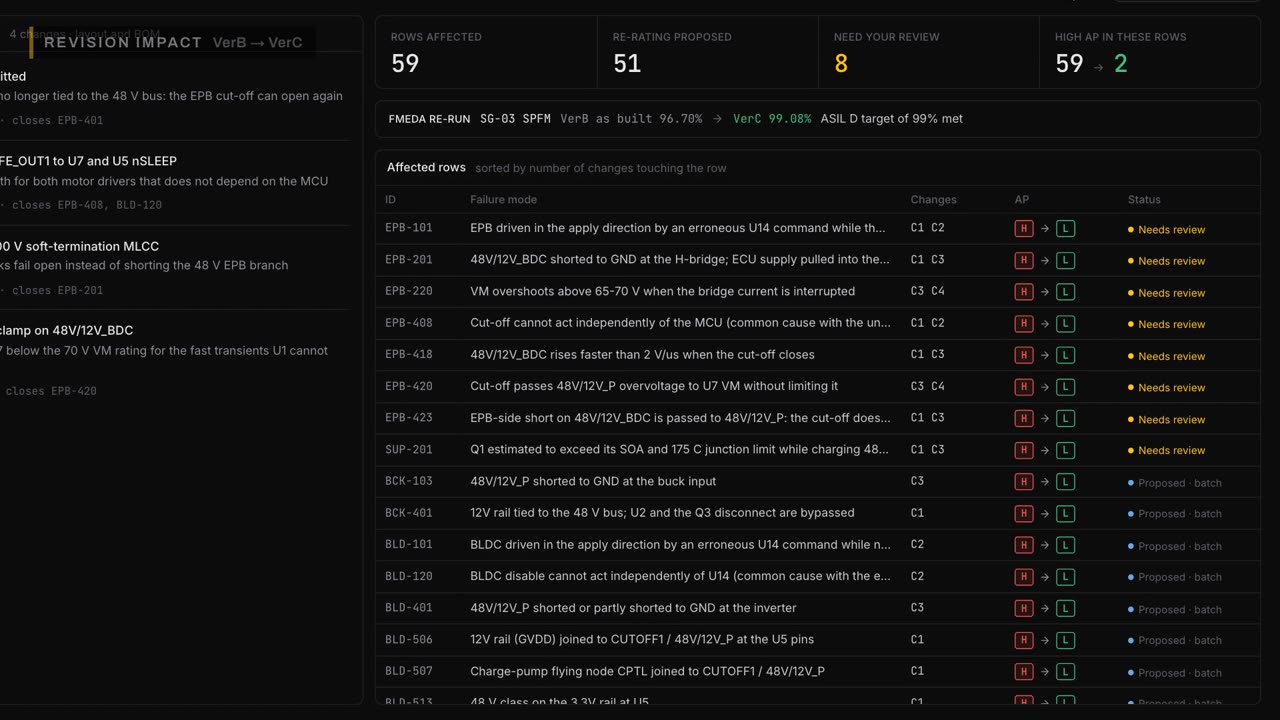
04 · Revisions
When a layout change lands, every row it touches is flagged and ranked. Routine re-ratings come as a batch you accept or reject; anything that needs judgment goes to a review queue. The impact rules are written down, so you can audit what it didn't flag.
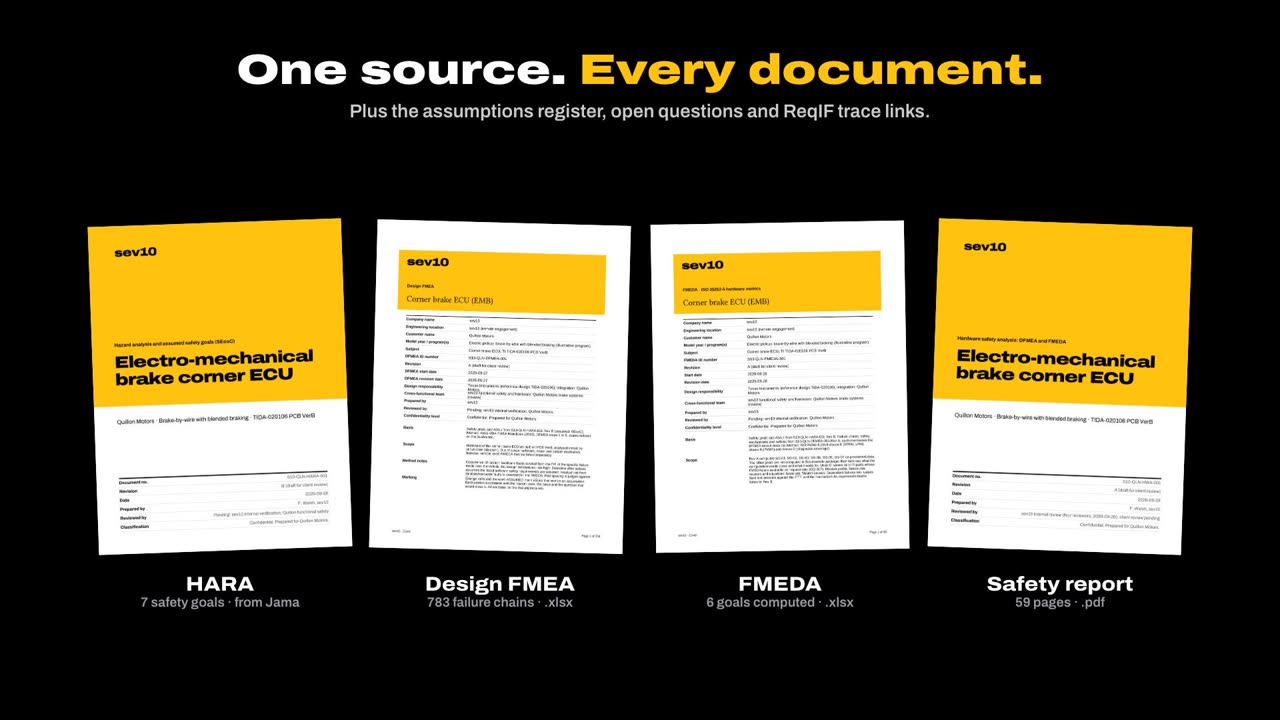
05 · Export
Excel workbooks with live formulas, a report in your template, the assumptions register and open questions, and trace links pushed back to your requirements tool. The demo uses sev10's template; yours is loaded during the build.
Safety data is some of the most sensitive engineering data a company has. So the tool runs where your data already is, on the AI your IT team already approved, and it talks to nothing you didn't configure.
Every model call goes to the endpoint you configure: a deployment in your own cloud tenant, or a model on your own hardware. We don't bring a model you have to approve. Model and prompt versions are pinned and recorded with every output.
Deployed on-prem or in your cloud tenant, behind your single sign-on. Design data, prompts and outputs stay on your systems. Support access is off unless you grant it, per session.
The AI proposes; an engineer accepts, edits or rejects. Every prompt, source and decision is logged with who, when and why. Your safety manager still approves the analysis, and your assessor still assesses it.
Connectors are built for your tools
Examples, not a certified integrations list. Each connector is built and tested against your instance's documented APIs, with read-only service accounts unless you enable write-back.
A typical build
We run the analysis on one of your subsystems with our own engine, at a fixed price. You judge the output on your own design, and you keep the analysis whether or not you continue.
We connect it to your tools and load your templates, rating tables and ID schemes. Output follows your formats, with every AI-drafted cell still marked as AI-drafted.
Our engineers come on site for a week or two: we install it in your environment on your AI gateway, train your team and run it with them on a live program.
Your team runs it. We maintain the connectors and keep the rules current under a yearly subscription.
No. The demo is an example build on our case-study board. We build each tool for the team that uses it: your tools, your templates, your review process. The pilot is how you find out whether it's worth it.
Keep them. Those tools store the analysis; your engineers still write every row. This drafts the rows from your design data with sources, flags what a revision changed, and exports to the tool you already run.
It drafts, and drafts can be wrong: on our example, review corrected about 7 % of the datasheet facts it extracted. That's why nothing it writes is final until an engineer accepts it, every rating carries its reasoning and its sources, and every value without a source is marked ASSUMED with the question that would close it. The demo shows a reviewer catching exactly that kind of error.
No. The tool runs in your environment and calls only the AI endpoint you point it at. If your policy allows no cloud at all, it can run on a model hosted on your own hardware.
ISO 26262-8 clause 11 asks you to classify each tool use case by its impact and the chance an error is detected. Engineer review catches wrong proposals; it can't catch rows the tool never drafted. So for each use case we give you a classification proposal, the known limitations and our validation results, and we pin and record model and prompt versions so a run can be reproduced. Your safety manager decides.
Three parts. A pilot on one ECU, priced to fit your program. Then a one-time build (the connectors, your templates and rules) plus a week or two of our engineers on site to deploy it and train your team. Then a yearly subscription for maintenance, updates and support. The pilot is the cheap way to find out if the rest is worth it.
Your design data and every analysis the tool produces are yours, in standard Excel, PDF and ReqIF that open without us. The engine is licensed to you, and its source code for your version is held in escrow: if we ever stop supporting it, the source is released to you so your safety program never loses its tool.
Tell us which tools you run, what analyses your team does and where it hurts. We'll come back with a pilot scope and a price.
Built by Frank Walsh, who designed and validated production vehicle controllers at Tesla and built the protection-design tools his team used. You work with him directly. More about sev10
Scope a pilotwalshf@oregonstate.edu